The address every AWS server asks for its keys
A server you rent in AWS is called an EC2 instance. Most are given a role: a set of permissions, such as reading a storage bucket, so the software on them can work without a password saved on disk. The server collects temporary keys for that role from the instance metadata service, or IMDS. That is a private address, 169.254.169.254, which only the server itself can reach.
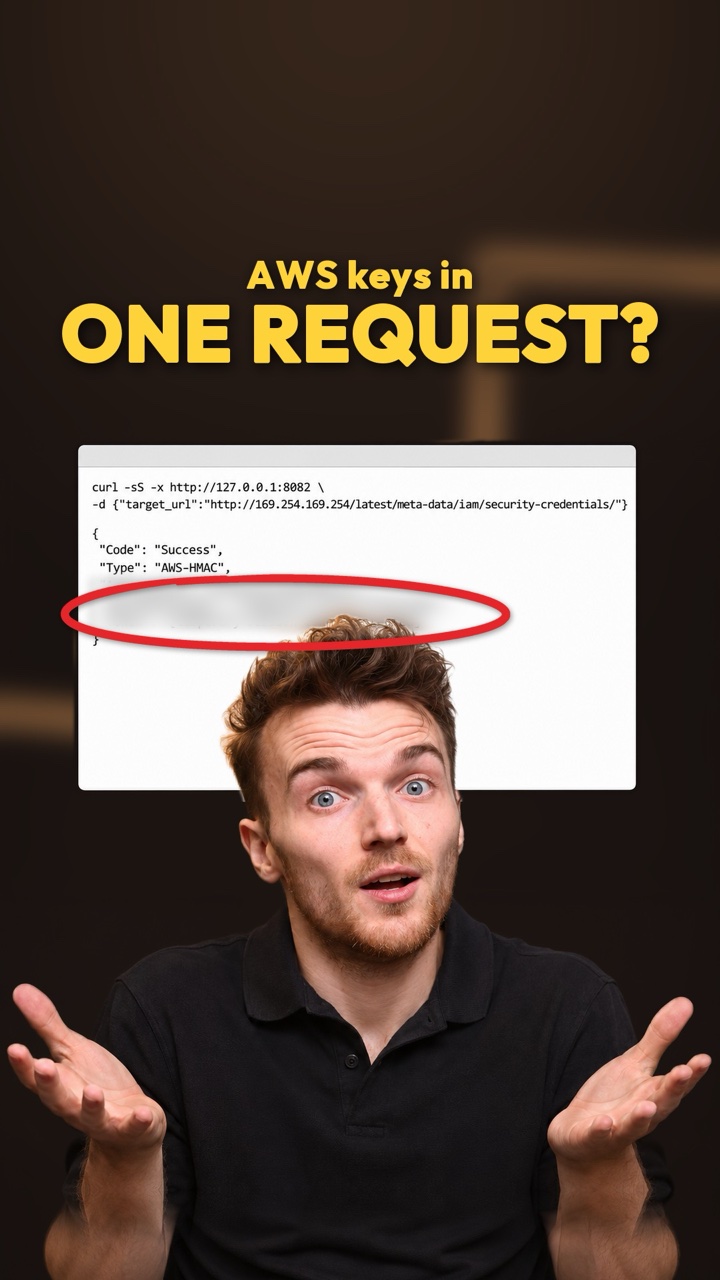
Here is the weak spot. With the older version, IMDSv1, anything that can make the server fetch a web address can ask for the keys too. Tricking a website into fetching an address you choose is called server-side request forgery, or SSRF. The request comes from the server, so the private address answers it.
Our lab site is a member-document portal for Northwind Cooperative, a company we made up. It has a feature that fetches a link and shows a preview. We gave it the metadata address instead of a document.
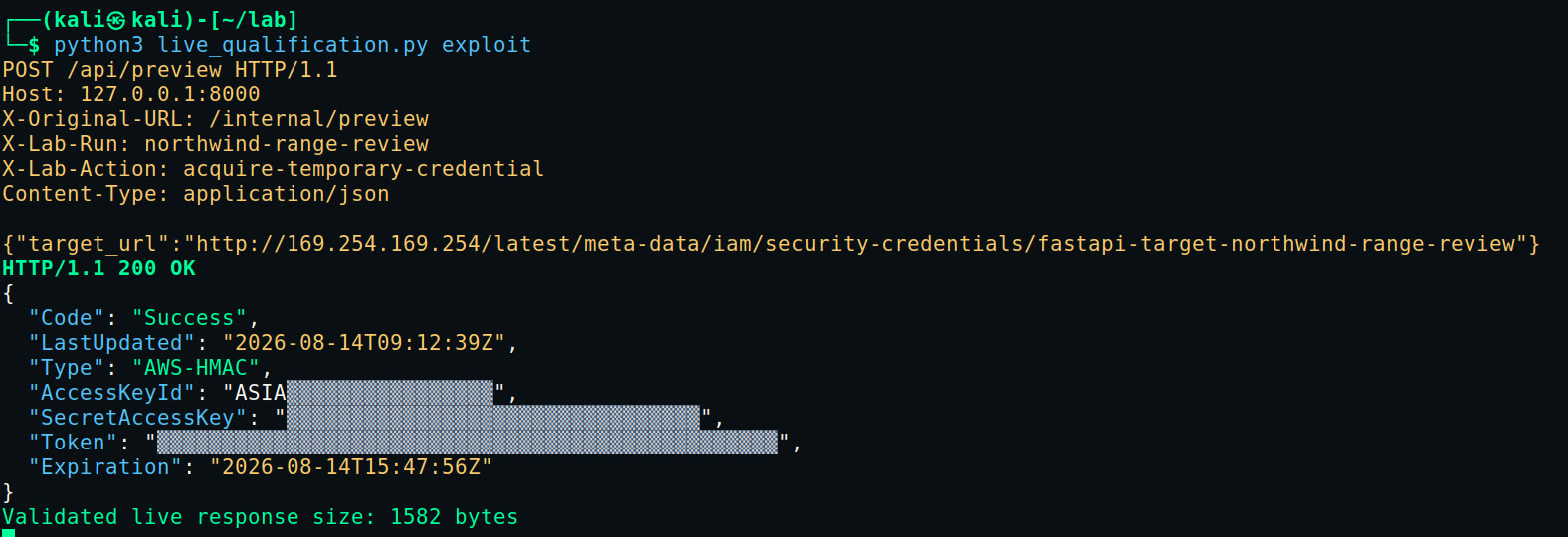
- The address we asked forNot a document but the metadata address, ending in the server’s role name. We learned that name with the same trick one step earlier.
- The server fetched it200 OK and “Code”: “Success”. The portal did exactly what it was asked.
- Live AWS keysAn access key, a secret key and a session token. Together they let anyone act as the server’s role, from anywhere.
- Temporary, but long enoughThese keys expired later the same day. That is plenty of time to use them.
What the keys open
In the video the keys lead to passport data on a database. In our lab the prize was a made-up customer record in S3, Amazon’s file storage, so no real person’s data was involved. From a machine outside AWS, we used the stolen keys to ask AWS who we were, read the role’s own details, then list the bucket and read the record.
This isn’t only a lab exercise. In April 2025 Fortinet’s incident team described a large cooperative bank where an attacker used SSRF in a public website to reach IMDSv1 and take the server’s role keys. Expel, a security operations company, found SSRF behind 28% of the cloud incidents its team saw in 2023 [3]. It said the main technique was asking this same address for the server’s keys.
How to spot it, and the setting that stops it
GuardDuty is AWS’s threat-detection service. It knows which keys belong to which server, so it notices when a server’s keys turn up somewhere else. In our run it raised a High alert naming the role. It also flagged that the keys were used from Kali Linux, a system built for security testing.

- The role, used from outsideKeys made for this server’s role were used from an outside address. The finding type is UnauthorizedAccess:IAMUser/InstanceCredentialExfiltration.OutsideAWS.
- HighGuardDuty rates it High. If you see it, tell your security team straight away.
CloudTrail, AWS’s record of the actions taken with your keys, then shows what the stolen keys did and where from. Search it for the role’s name.
The fix is one setting. With IMDSv2, the newer version, the server must first ask for a session token using a special kind of request, then show that token every time it asks for keys. A “fetch this link” feature can’t do that, so the trick fails. In EC2, open the server’s metadata options and change IMDSv2 from Optional to Required.
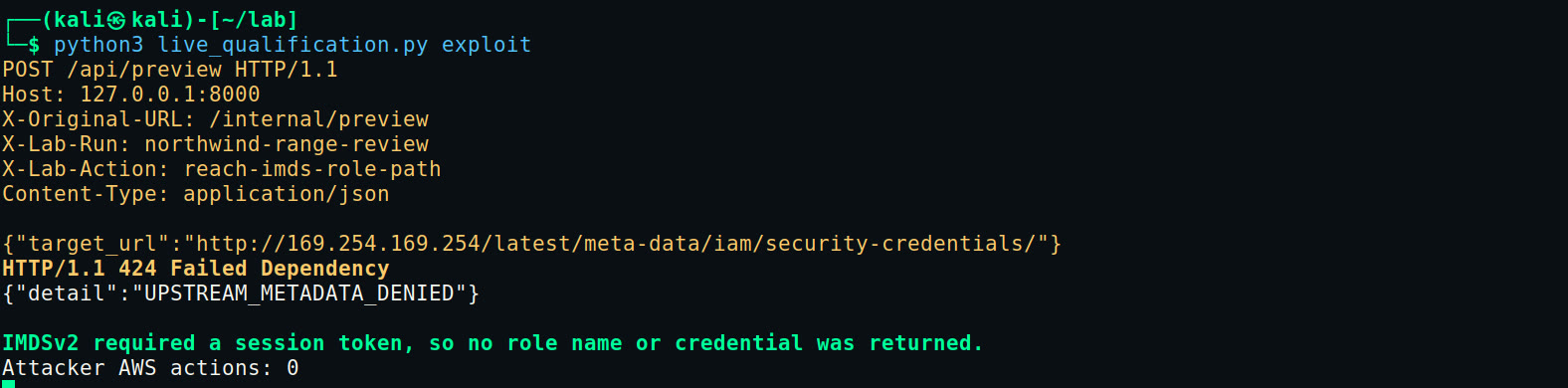
- The same requestThe portal is asked to fetch the metadata address again.
- RefusedWith no session token, the metadata service gives nothing back, so the portal returns an error instead of keys.
- Nothing to stealNo role name, no keys, and no AWS actions for the attacker.
aws ec2 describe-instances \ --filters "Name=metadata-options.http-tokens,Values=optional" \ --query "Reservations[].Instances[].InstanceId"aws ec2 modify-instance-metadata-options \ --instance-id "<instance id>" \ --http-tokens required \ --http-endpoint enabledCheck your own AWS account
- In the EC2 console, open Instances, pick a server and find the IMDSv2 field on its Details tab. Optional means the old version is still switched on.
- Check that server’s MetadataNoToken metric. If it reads zero, choose Actions, Instance settings, Modify instance metadata options, and set IMDSv2 to Required.
- Set the account default for new servers in each region to IMDSv2 only, so new servers start safe.
- Turn on GuardDuty and look for findings saying a role’s credentials were used from an external IP address.
- Turn on the AWS Config rule ec2-imdsv2-check, or Security Hub control EC2.8, so any new server that allows IMDSv1 gets flagged.
IMDSv2 takes away the prize, not the bug. A website that fetches links for strangers still needs fixing.
What we do on a real case
If GuardDuty raises this alert in your account, these are the questions we answer first.
- Which role, which server
The finding names the role and the instance its keys came from. That tells us which application to look at.
- What the keys did
CloudTrail shows each call made with the role’s keys from the outside address, and when. That is the attacker’s to-do list, in order.
- What the role could reach
The role’s permissions set the ceiling on the damage. We list every bucket, database and secret it could touch.
- Find the way in
Application logs show which request made the server fetch 169.254.169.254. In our lab it was the preview feature, which trusted a rewrite header called X-Original-URL to reach an internal route.
What this doesn’t prove
Rebuilt and tested in our private AWS lab, 13 and 14 Aug 2026.
- Northwind Cooperative and its portal are made up. The lab ran in our private AWS accounts on 13 and 14 Aug 2026, and the customer record the keys reached was synthetic.
- IMDSv2 blocks this route to the keys. It doesn’t fix SSRF itself: the website can still be made to fetch other internal addresses.
- The GuardDuty alert shown fires when a server’s keys are used outside AWS. Keys used from inside AWS raise a separate InsideAWS finding.
- Fortinet’s case is anonymised. We don’t know which bank it was or which part of its website was attacked.
Sources
- AWS SSRF Credential Theft: Attack, Detection and IMDSv2 DefenceInvicta Group Cyber (our lab write-up)
- Fortinet Incident Response on SSRF Attack in AWS EnvironmentFortinet, 18 Apr 2025
- Annual Threat Report 2024Expel, read 13 Nov 2026
- Configure the Instance Metadata Service optionsAWS, read 13 Nov 2026
- Modify instance metadata options for existing instancesAWS, read 13 Nov 2026
- Add defence in depth against open firewalls, reverse proxies and SSRFAWS Security Blog, read 13 Nov 2026
- GuardDuty finding typesAWS, read 13 Nov 2026
- ec2-imdsv2-checkAWS Config, read 13 Nov 2026
- Security Hub controls for Amazon EC2AWS, read 13 Nov 2026