The one thing that separates them
A text code, an authenticator app code and a tap-to-approve prompt share one weak spot. You can be tricked into using them on a fake website, and the attacker passes them straight on to the real one. A passkey or a security key works differently. It checks the address of the site asking, and it won’t sign in to a lookalike.
MFA, multi-factor authentication, means proving it’s you with a password plus something else, usually your phone. As the short says, every method below counts as MFA. They don’t give the same protection.
A passkey is a sign-in key stored on your phone, laptop or password manager and unlocked with your face, fingerprint or PIN. A security key, such as a YubiKey, is the same idea in a small USB or NFC device. Both are built on a standard called FIDO2. Microsoft says a passkey only works on the website or app it was created for, which is what makes passkeys almost impossible to phish.
The ranking
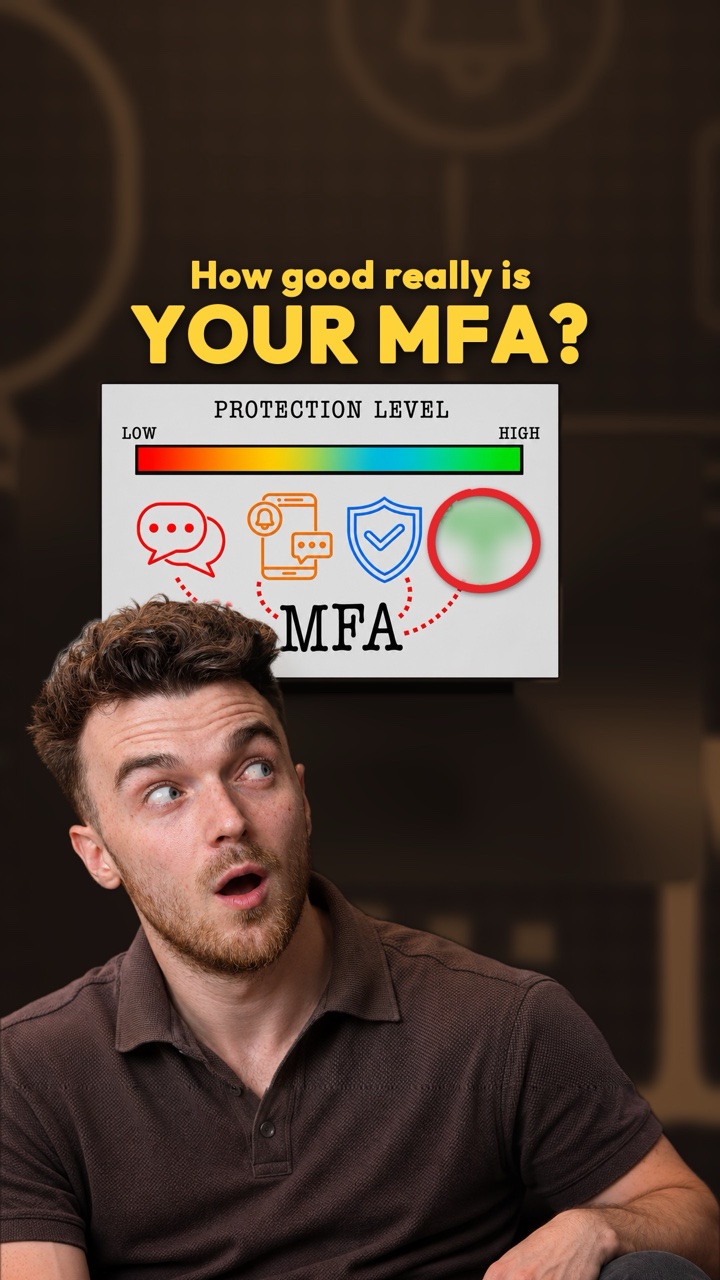
CISA, the US government’s cyber security agency, publishes MFA types from strongest to weakest. The UK’s National Cyber Security Centre (NCSC) and NIST, which writes the US federal standards, agree on the top and the bottom.
- Passkeys and FIDO2 security keysCheck the website’s address before signing you in, so a fake page gets nothing it can use. No code to type, no prompt to approve, no phone number to steal. CISA calls this the gold standard.
- Push with number matchingThe login screen shows a number and you type it into the app. That stops blind taps on a flood of prompts, but you can still be talked into doing it for a fake site.
- Authenticator app codesThe code is made on your phone, not sent to it, so a SIM swap can’t catch it. A fake site can still ask you for it and use it at once.
- Push without number matchingOne tap on Approve. Open to push bombing: the attacker sends prompt after prompt until someone taps yes to make it stop.
- Text message or phone call codesCan be phished like any code, and can also be redirected by a SIM swap or a weakness in the phone network itself. CISA says use them only as a last resort.
NIST’s current rules, from July 2025, go further. Any code you type in by hand can’t count as phishing resistant, because nothing ties it to the site you typed it into. And a push you only have to approve is no longer acceptable: NIST wants the code moved between the login screen and your phone, which is what number matching does.
What happened against real attackers
Google measured this in 2019. When it saw a suspicious sign-in, it asked for an extra check, and over a year it counted how often each check stopped the attacker. These are the figures for targeted attacks, where someone is going after one particular person.
So a text code still stopped three in four targeted attacks, and in the same study it stopped all of the automated bot attacks. CISA is clear that any form of MFA is better than none. The ranking is about what to move to next.
In 2022 a phishing campaign texted staff at many companies a link to a fake login page that passed passwords and codes to the attacker as they were typed. Group-IB, which named it 0ktapus, counted more than 130 organisations broken into and 5,441 MFA codes collected [8]. Cloudflare was targeted too. At least 76 of its staff got the texts and three typed in their passwords, but Cloudflare doesn’t use codes. Every employee signs in with a FIDO2 security key, so the attacker couldn’t log in.
Check your own accounts
- Start with your email account. Whoever controls it can reset most of your other passwords.
- Open its security settings and look for passkeys or security keys. If it offers either, add one.
- If it only offers codes, use an authenticator app instead of text messages.
- Once a stronger method is set up, remove text messages as a backup if the site lets you. A text-message backup can still be used to get in.
- Ask your mobile provider to put a PIN or password on your account, so it’s harder for someone to move your number to their SIM card.
Whatever you use, never type a login code into a page you reached from a link in a text or email. Go to the site yourself.
What we check in a company’s MFA
At work the question isn’t whether MFA is on. It’s which methods are allowed, for whom, and what the weakest one still switched on is, because that is the one an attacker will aim for.
- Which methods are switched on
In Microsoft Entra ID, Microsoft’s cloud directory, the list is under Authentication methods > Policies. We note every method that is enabled and who it is enabled for. Text and voice codes left on for everyone give an attacker the weakest way in.
- Admins on phishing-resistant MFA
Entra ID has a built-in authentication strength called Phishing-resistant MFA. It accepts only FIDO2 security keys, Windows Hello for Business and certificate-based sign-in. We check a Conditional Access policy requires it for admin roles.
- Number matching and context
Microsoft now applies number matching to every Microsoft Authenticator push. We also check the prompt shows the app name and location, two settings in the Authenticator policy, so a user can spot a sign-in that isn’t theirs.
- Google Workspace
In the Admin console, Security > Authentication > 2-step verification has a method setting called Only security key, which now covers passkeys too. We check it is set for admins at least, and that text and call codes are switched off where they can be.
What this doesn’t prove
Written from the public guidance and reports listed under Sources, checked 13 Nov 2026.
- This ranks how each method holds up against fake login pages, push bombing and SIM swaps. It says nothing about how well a given company has set it up.
- Passkeys and security keys stop fake login pages. They don’t stop malware already on your computer from stealing a session after you have signed in. Our note on how hackers bypass MFA covers that.
- Google’s figures are from 2019 and measure Google’s own extra sign-in checks, not every site’s MFA.
- A text code is far better than nothing. This is a guide to what to move to next, not a reason to switch MFA off.
Go deeper on our wiki
Sources
- Implementing Phishing-Resistant MFA (fact sheet)CISA, Oct 2022
- More than a PasswordCISA
- Recommended types of MFANCSC, Reviewed 26 Sep 2024
- Not all types of MFA are created equalNCSC, 9 Oct 2024
- SP 800-63B-4, Digital Identity Guidelines: Authentication and Authenticator ManagementNIST, Jul 2025
- New research: How effective is basic account hygiene at preventing hijackingGoogle Security Blog, 17 May 2019
- The mechanics of a sophisticated phishing scam and how we stopped itCloudflare, 9 Aug 2022
- Roasting 0ktapus: The phishing campaign going after Okta identity credentialsGroup-IB, 25 Aug 2022
- Passkeys (FIDO2) in Microsoft Entra IDMicrosoft Learn
- Authentication strengthsMicrosoft Learn
- Number matching in MFA push notificationsMicrosoft Learn
- Deploy 2-Step VerificationGoogle Workspace Admin Help