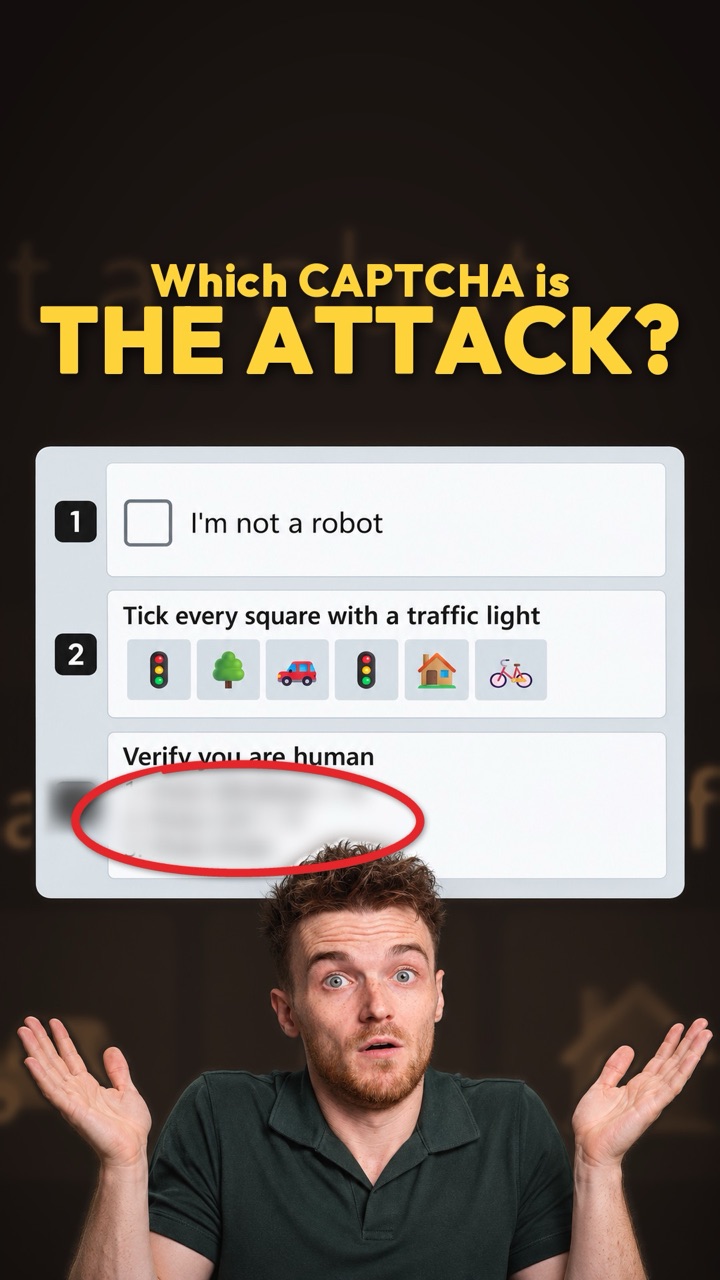
A sound you can’t hear, used as a clue
Most people know about cookies: small files a site stores in your browser so it remembers you. You can delete them. A browser fingerprint is different. The site measures things about your browser and device and combines them into a profile. Nothing is stored on your side, so clearing cookies or opening a private window doesn’t remove it.
Sound is one of those measurements. Browsers have a built-in audio engine called Web Audio, which sites use to make and process sound. A page can ask it for a sawtooth tone, a buzzy sound wave, set the volume to zero, and read back the result as 1,024 frequency bins: small slices of the sound, like the bars on a music visualiser [2]. Your microphone is never used.
Tiny differences in how your browser, operating system and processor do the maths change those numbers slightly. The page turns them into a hash, a short code worked out from the numbers. On its own that code is a weak clue. Added to other measurements, it helps make a profile that fewer browsers match.
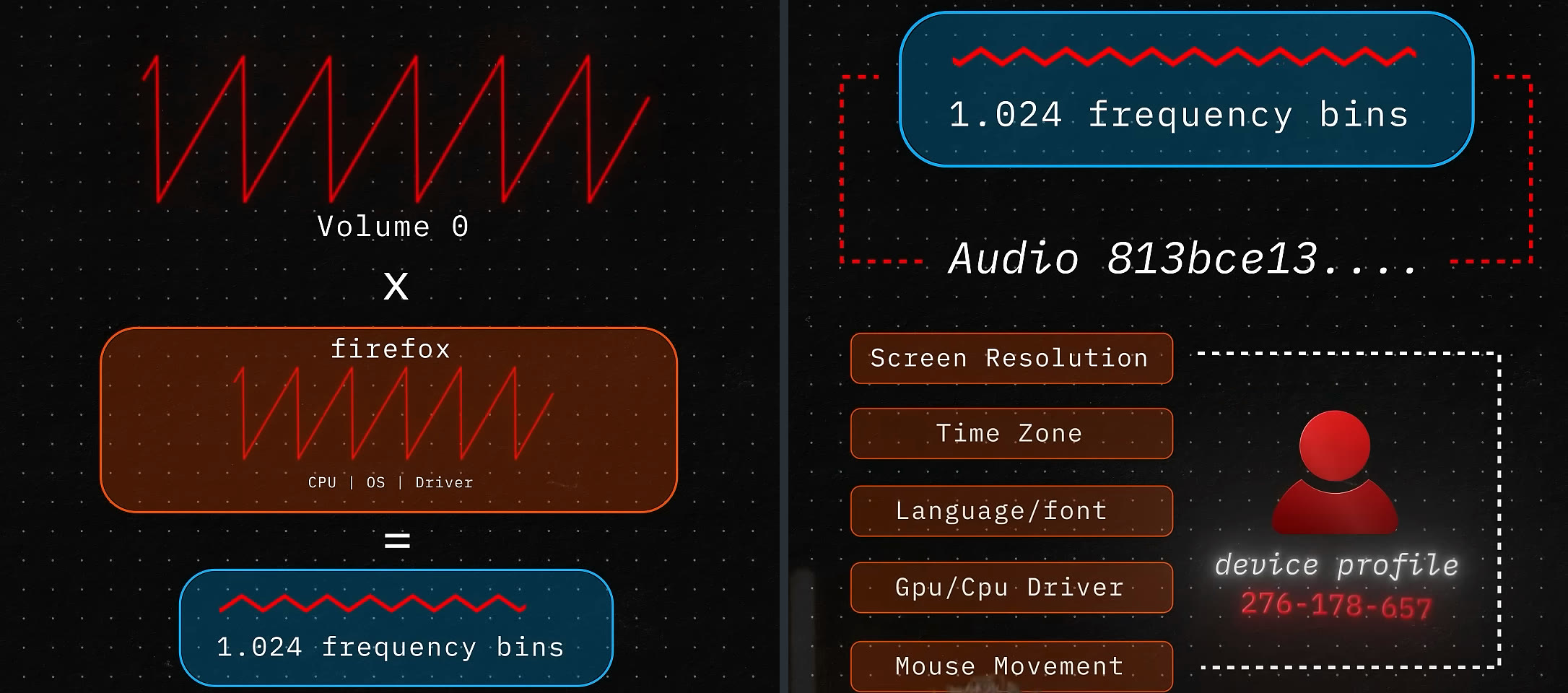
- A silent toneThe page makes a sawtooth wave at volume 0. Nothing comes out of your speakers.
- Your browser and hardwareThe browser, operating system and processor each shape the result a little.
- Numbers become a codeThe measured values are turned into one short code, a hash.
- One profileThe audio code is combined with other measurements of the device and how you use it.
What was found in AliExpress’s code
This came to light by accident. In August 2026, Matt Callaghan noticed that his Bluetooth headphones, which connect to two devices at once, wouldn’t switch back to his phone while an AliExpress tab was open on his Windows PC. Muting the tab didn’t help. Closing it did. He traced the cause to two Alibaba scripts, Collina and Fireye, which each set up the silent audio test.
His review of the code reports that the scripts also read graphics output, screen details, processor count and memory, and mouse, touch, focus and scroll activity. He suggests fraud and bot detection as a plausible reason.
We checked for ourselves. In August 2026 we opened the AliExpress home page, logged out, in a fresh Chromium browser, and recorded every file it loaded. Fireye version 1.231.67, from assets.aliexpress-media.com, contained the full audio test.

- The audio partsA tone maker (oscillator), a measuring tool (analyser) and a volume control (gain). The name ScriptProcessor is built from pieces, “riptPro” and “cessor”, so a simple search won’t find it.
- Silent, sawtooth, connectedThe volume is set to 0 and the wave to sawtooth. “tcennoc” is “connect” spelt backwards, flipped at run time to wire the parts to the audio output.
There are limits to what we saw. Our automated browser didn’t see this part of the code actually run on our visit, and we didn’t prove which network request, if any, sent the result anywhere. What we confirmed is that the code is there, and what it does when it runs.
The audio clue is also weaker than it sounds. A study of 2,093 people found only 95 different audio fingerprints between them [4]. A Firefox engineer reports that in Firefox, 99.24% of users now fall into one of three values [3]. Audio narrows the crowd. The other measurements do most of the work of picking one browser out.
How to block it
The video gives two ways. JShelter is a free browser extension for Firefox and Chrome that protects against fingerprinting on every site. Its Web Audio protection subtly changes the sound data a page reads back, using a different key for each site, so the audio code doesn’t match from one site to the next. JShelter’s own page notes that a careful fingerprinter can detect the change.
To stop AliExpress’s scripts in particular, use uBlock Origin, a free content blocker. The four filters below stop Collina and Fireye loading on AliExpress, from both addresses we saw them come from. The rest of each address is left alone.
! AliExpress AWSC families across both delivery hosts observed in this investigation||assets.aliexpress-media.com/g/AWSC/uab/*/collina.js$script,domain=aliexpress.com||assets.aliexpress-media.com/g/AWSC/fireyejs/*/fireyejs.js$script,domain=aliexpress.com||g.alicdn.com/AWSC/uab/*/collina.js$script,domain=aliexpress.com||g.alicdn.com/AWSC/fireyejs/*/fireyejs.js$script,domain=aliexpress.comProtect your own browser
- Install JShelter from your browser’s official add-on store and leave its standard protection on.
- For AliExpress in particular, install uBlock Origin, open its Dashboard, paste the four filters into My filters and click Apply changes.
- Close any AliExpress tabs that were already open, then open the site again so the filters apply.
- If a page stops working with the filters on, turn uBlock Origin off for that visit, then back on afterwards.
- If your two-device Bluetooth headphones get stuck on your computer, close the AliExpress tab. In the original report, muting it didn’t help.
Clearing cookies doesn’t remove a fingerprint. Stopping the script means the measurement is never taken.
How we checked it
The deep dive walks through each step with the commands. In short:
- Record a clean visit
A fresh browser profile, logged out, with mitmweb recording the traffic: a tool that sits between the browser and the site and saves every request.
- Pin down the exact file
Filter the recording to the one Fireye script, save it, and take its SHA-256 hash so anyone can check they have the same file.
- Find the audio code
A YARA rule, a pattern-matching check, confirms the audio calls are present. js-beautify then lays the squashed code out so it can be read.
- Rebuild the test locally
We ran the same audio calculation five times on a test page of our own that sends nothing anywhere. One Chromium browser gave two different results, so even the same device doesn’t always match itself.
What this doesn’t prove
Investigated on the live AliExpress site for our deep dive, August 2026.
- We looked at AliExpress in August 2026. The scripts change: we saw two versions from two addresses during the same investigation.
- We confirmed the audio code is in the script. We didn’t see it run on our visit, or prove where any result was sent.
- The browser can’t show what Alibaba does with these values, how long it keeps them, or why. Fraud and bot detection is a plausible reason, and the same profile could also help recognise a returning browser. We can’t tell which, or both.
- An audio fingerprint on its own is a weak clue. It matters when combined with other measurements.
Sources
- AliExpress webpage keeping multipoint Bluetooth headphones active with WebAudio fingerprintingMatt Callaghan, laserphile, 20 Aug 2026
- The Silent Browser Fingerprint: Investigating AliExpress Step by StepInvicta Group Cyber (our investigation)
- WebAudio fingerprinting on AlibabaTom Ritter, 20 Aug 2026
- A Study of Feasibility and Diversity of Web Audio FingerprintsChalise and Vadrevu, arXiv
- Mitigating Browser Fingerprinting in Web SpecificationsW3C, read 13 Nov 2026
- JShelter: WebAudioJShelter, read 13 Nov 2026
- JShelter for FirefoxMozilla Add-ons, read 13 Nov 2026
- uBlock Origin for FirefoxMozilla Add-ons, read 13 Nov 2026
- Static filter syntaxuBlock Origin project, read 13 Nov 2026